Stokee Inventory — the register for equipment that goes out and comes back
Our second product. A cloud register for the equipment a company owns and reuses — cameras, laptops, desks, sample cases. Point it at the spreadsheet you already keep, the AI cleans it up, and every item gets a QR label, a check-out history and a place in the annual stocktake.
Product
Asset register
AI
QR
01
THECHALLENGE
Teams that own their equipment — production studios, offices, showrooms — track it in a spreadsheet that nobody trusts. Who has the second camera body? Is the projector back from the client site? Warehouse software is built for stock that gets sold, and enterprise asset management is priced and scoped for someone ten times bigger.
02
THESOLUTION
Stokee Inventory — a register built on Next.js and Supabase, with an AI import on the Claude API that reads any existing equipment list, QR labels and scanning on the phone the team already has, check-out and check-in with condition on return, a stocktake with a frozen snapshot, and a Jobs layer that reserves gear for a time window and blocks overlapping bookings.
03
THERESULTS
Minutes
From your existing spreadsheet to a live register
Any phone
QR check-out and check-in, no scanner hardware
4
Languages — each user picks their own
€0 extra
Jobs and scheduling, included on every plan
The motivation
Stokee Warehouse Management is built for stock that flows through a business: goods come in, get picked, and leave with a customer. While building it, we kept meeting teams with the opposite problem. A production studio doesn’t sell its cameras. An office doesn’t sell its laptops. A brand doesn’t sell its sample cases or its trade-fair stand. That equipment goes out, gets used, and comes back — and the question is never “how many are left”, it’s “where is it, who has it, and what state is it in”.
Those teams were running on a spreadsheet. Sometimes a very good spreadsheet, but one that goes stale the first time someone takes a lens to a shoot without updating the row. The tools one step up were either a WMS in disguise or an enterprise asset management suite with an onboarding project attached. Stokee Inventory is the tier in between: one step above the spreadsheet, well below the enterprise suite.
The product, in one paragraph
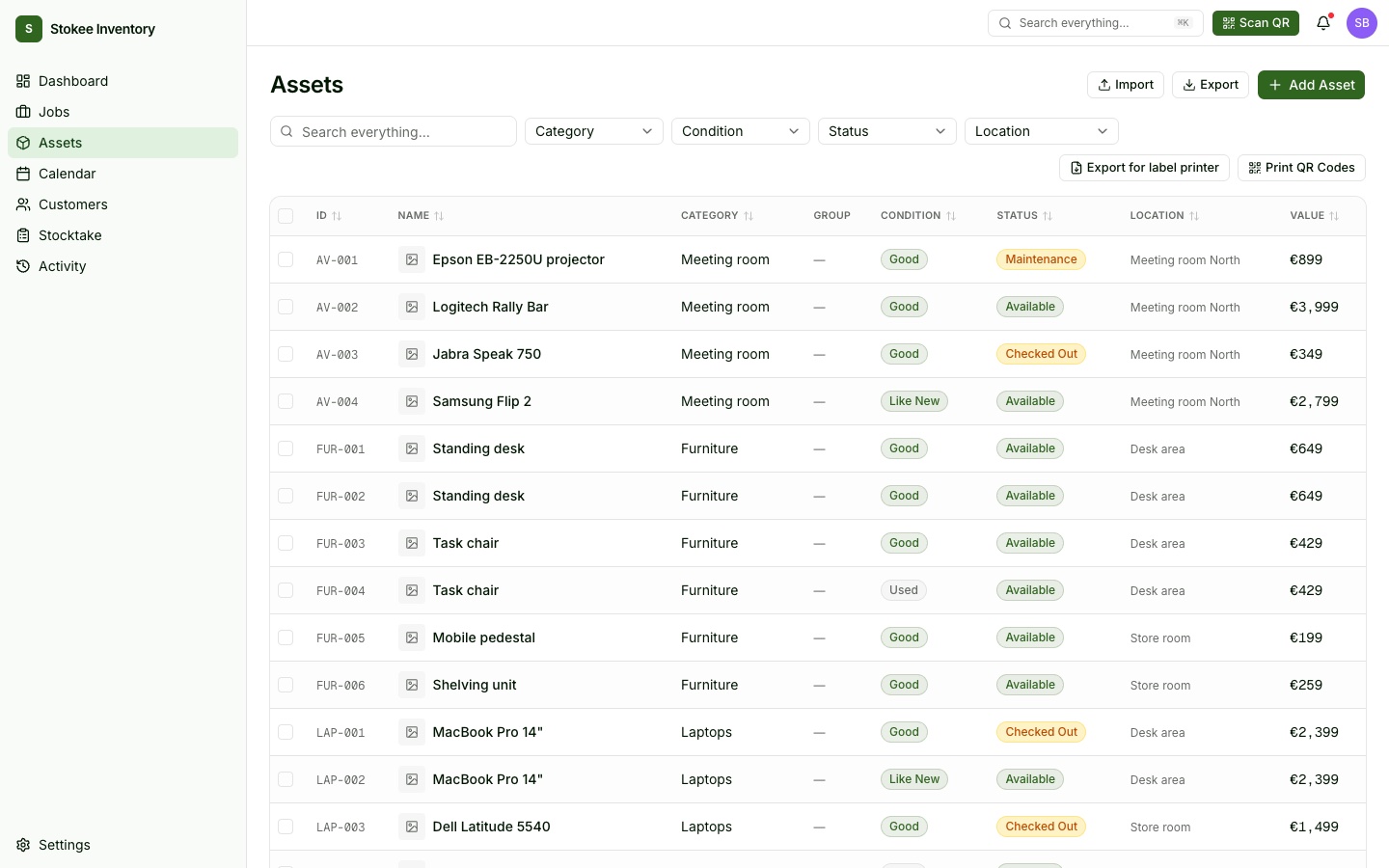
Stokee Inventory is a cloud register for equipment a company owns and keeps. Every item gets a readable ID per category (CAM-001, LAP-004), a place in a nested location tree — buildings, rooms, shelves, vehicles — and a QR label printed as a sheet or on a thermal label printer. Scan to check it out, scan to check it back in, record its condition on return, and the full movement history is there when someone asks. Once a year, the stocktake runs against a frozen snapshot, across as many sessions and people as it takes. Plans differ only by usage caps — every feature is on every plan, and nobody is billed per seat.
The register. Readable IDs per category, condition, status and location at a glance — and the QR codes one click away.
What we built
An AI import for the spreadsheet you already have
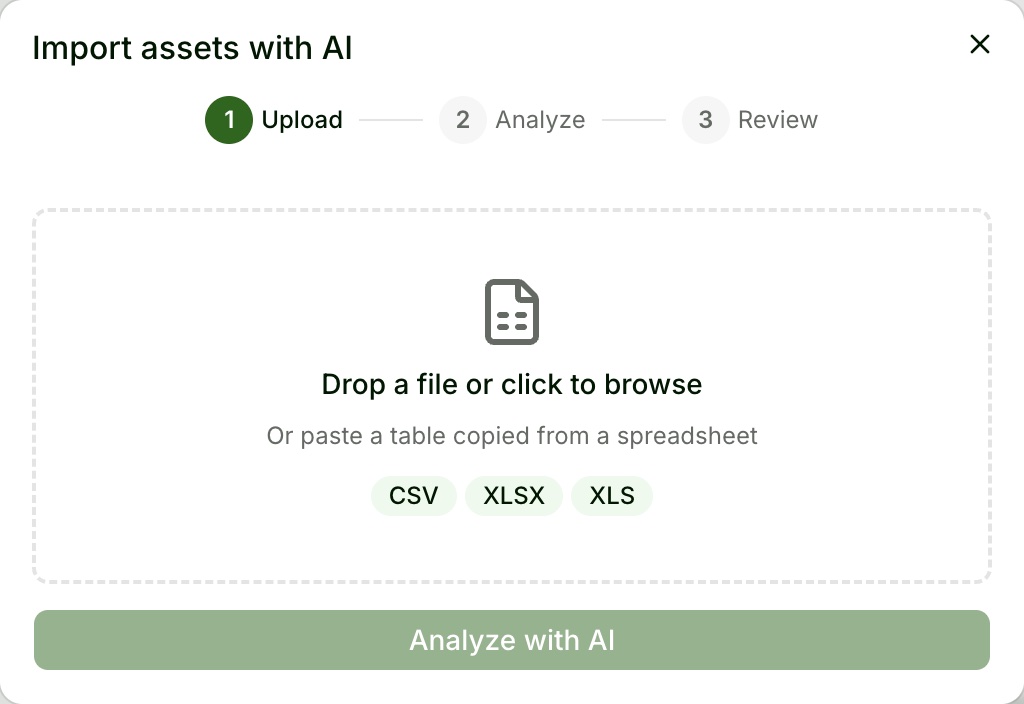
The biggest barrier to adopting any register is re-typing the whole inventory by hand. So we didn’t ask anyone to. Drop in a CSV or Excel file — or paste a range straight out of Google Sheets — and an import built on the Claude API works out what each column means: name, category, location, condition, value, serial number, purchase date. It strips currency symbols, fixes decimal separators, maps free-text conditions like “fair” onto Stokee’s five condition values, and turns every column it doesn’t recognise into a custom field instead of throwing it away.
Two details matter more than they look. A row that says “Tripod — Qty 5” becomes five separate assets, because each one needs its own QR label and its own history. And the AI never translates the customer’s data: a German gear list stays German. Where the file is genuinely ambiguous, the AI asks up to three clarifying questions inline, then shows every proposed asset for review before anything is created — and a whole import can be undone in one step.
Upload, analyse, review. CSV, Excel, or a range pasted from a spreadsheet.
QR labels and scanning on any phone
Equipment tracking only works if updating it is faster than not updating it. Every asset gets a QR code, printable as a label sheet or exported for a thermal printer. Scanning runs in the browser on the phone the team already carries — no app to install, no scanner to buy. Scan to check out against a packing list, scan to check back in, flag damage on the way.
Stocktake that survives real life
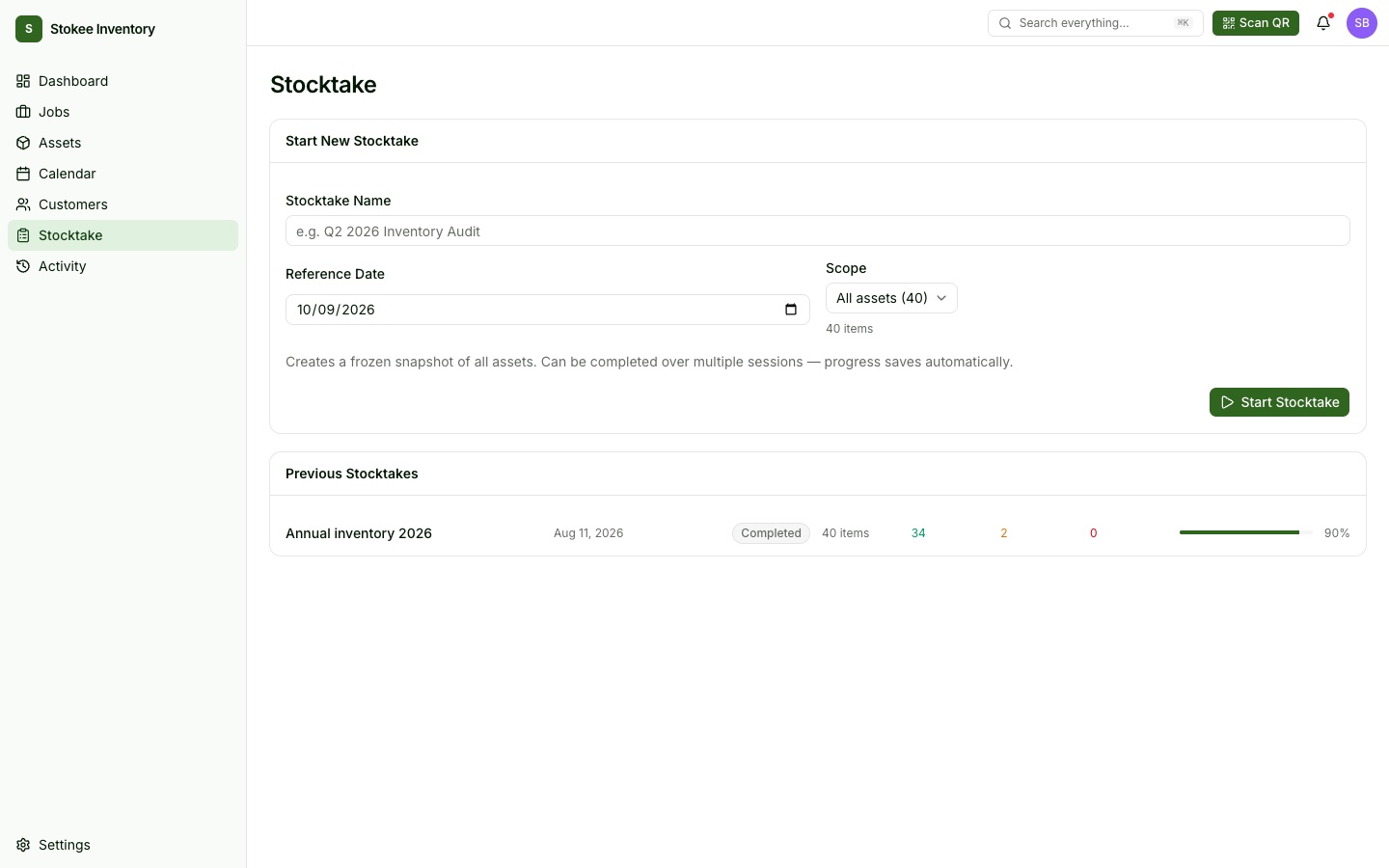
An annual stocktake never happens in one sitting. Stokee Inventory freezes a snapshot of what should be there, then lets several people work through it across several days — progress saves automatically, the scope can be a single location or category, and the result can be exported.
A frozen snapshot, saved across sessions and people, scoped by location or category.
Jobs — included, not upsold
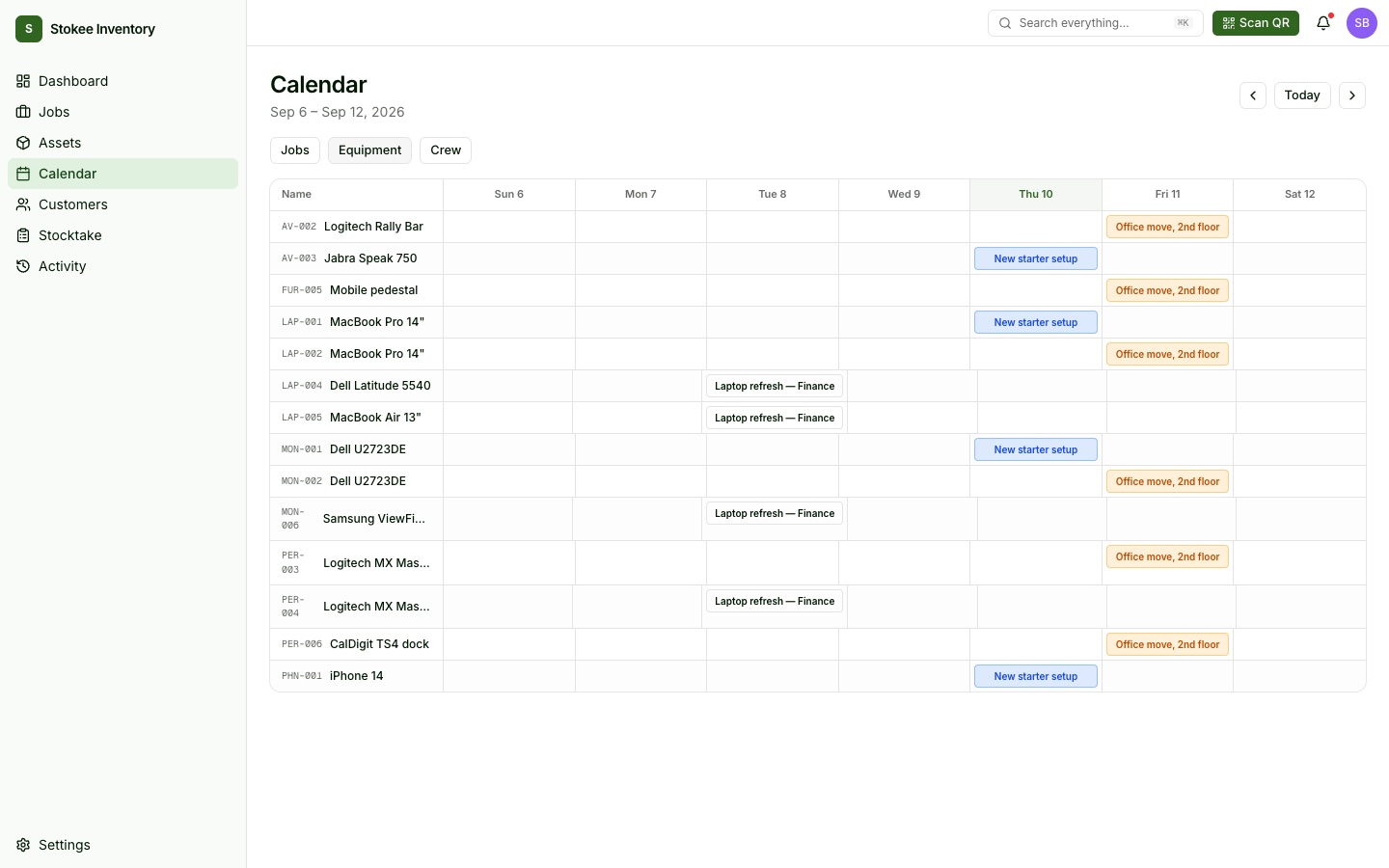
For teams whose equipment goes out for a specific job and time window — a shoot, an office move, a new-starter setup — there’s a Jobs layer. Gear is reserved for the window, overlapping bookings are blocked, and a calendar shows the week by job, by equipment or by crew. Assignments sync to the crew’s Google Calendar, so the shoot shows up where they already plan their day. Jobs costs nothing extra on any plan; teams that only need a register can ignore that side of the app entirely.
The calendar by equipment. Every booking against every asset, one week at a glance.
Same foundation as its sibling
Stokee Inventory shares its design system, tone and much of its engineering discipline with Stokee Warehouse Management — deliberately, so both products feel like one family while solving different problems. The app runs on Next.js and React in TypeScript end-to-end, with a ShadCN-based UI. Supabase in the EU (Ireland) handles Postgres, row-level security, authentication and storage. Stripe runs billing, Mailgun sends email, and five user roles — owner, admin, manager, user, viewer — decide who can import, edit or only look. The whole product ships in English, German, Czech and Slovak, and each user picks their own language.
Result
A second product built on the lesson of the first: the software small teams get does not have to be a cut-down version of what large teams get. Stokee Inventory takes the spreadsheet a team has been nursing for years, turns it into a live register in minutes, and then stays out of the way — a label on every item, a scan at every hand-off, a history nobody has to reconstruct.
If this kind of work looks like yours — or the opposite, and you’re wondering whether we’d still be the right fit — tell us about it. We’ll come back with an honest read within three working days.